Patching the root-checking mechanism of Love Live! SIFAS

To play LLAS with keybindings on Android-x86, root access is required. However, LLAS has a built-in root checker that will prevent you from starting the game if your device is rooted. So the most important thing we need to do would be disabling that root checker.
Section 1: Installing Android-x86
Installing it on your own.
Section 2: Make your own rootchecker-less version of LLAS
I’m not responsible for bricked devices, dead SD cards, thermonuclear war, or you getting fired because the alarm app failed (like it did for me…).
YOU are choosing to make these modifications, and if you point the finger at me for messing up your device, I will laugh at you.
Your warranty will be void if you tamper with any part of your device / software.
If you have already had a patched APK of LLAS working properly on rooted devices, or somehow you managed to get LLAS working without unrooting Android x86, you can skip this section.
2.1. Tools
- Lastest Java and Java SE Development Kit.
- APK Easy Tool (Download the lastest beta version).
- LLAS APKs bundle.
- Install Qooapp and download LLAS on your Android PC but don’t install it yet.
- If Qooapp isn’t working on your Android PC, use another Android device to download LLAS with the same steps. Next, navigate to
/sdcard/Android/data/com.qooapp.qoohelper/files/Download/and grab all LLAS APK files.
2.2. Steps
a. Decompile the APK
-
Boot to Windows, copy and extract the LLAS APKs bundle to somewhere on your computer, as well as the APK Easy Tool (preferred as AET from now on).
-
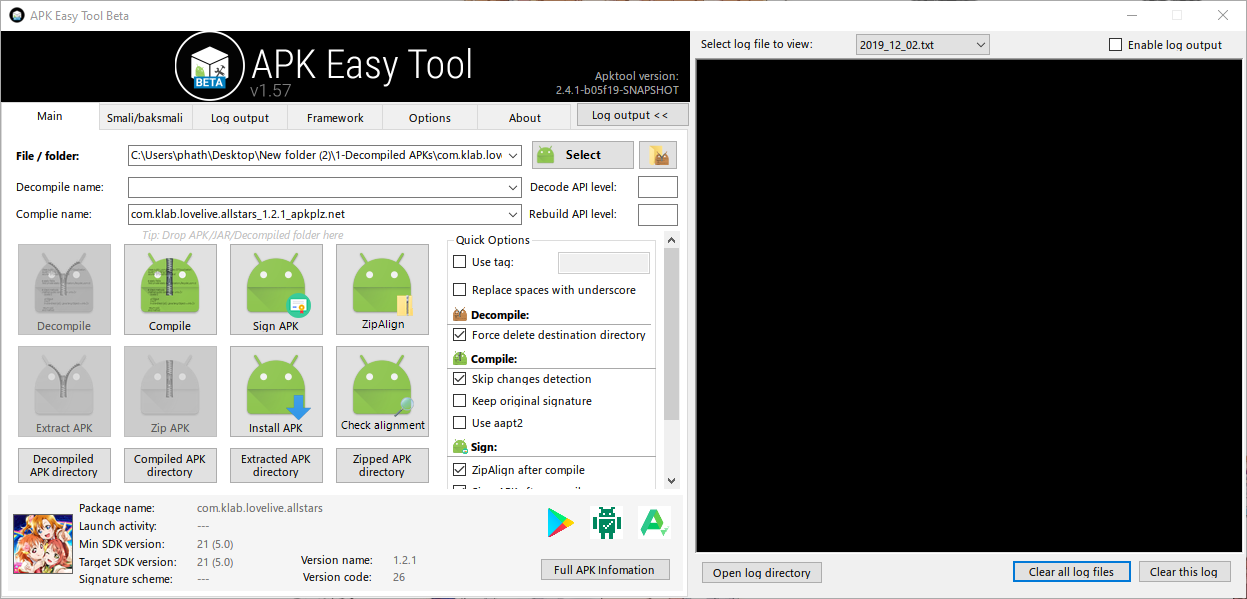
Run AET (
apkeasytool.exe), then drag the main APK (the one with the longest filename) of LLAS into AET.
-
Click
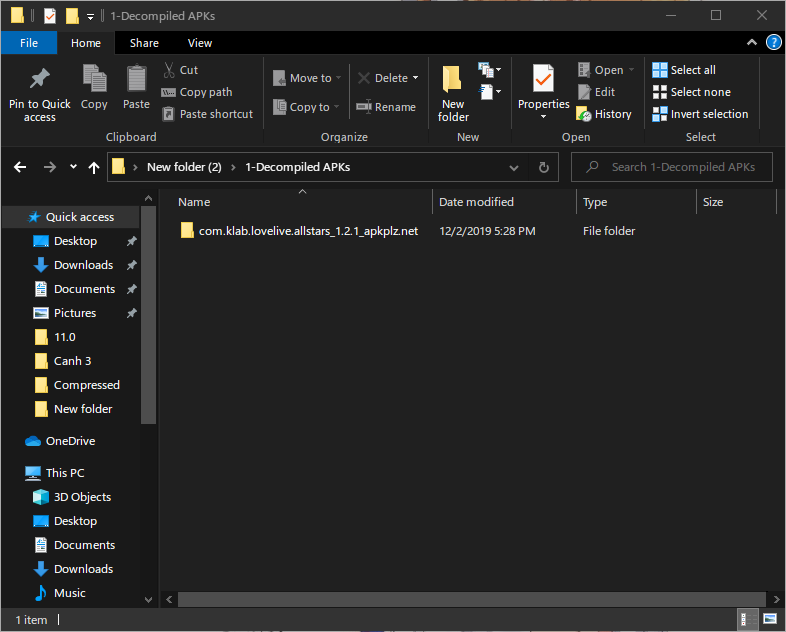
Decompile. Wait until the decompiling process finishes. The decompiled APK folder will be located in\path_to_extracted_AET\1 - Decompiled APKs. You can clickDecompiled APK Directoryunder theDecompilebutton to open this directory.
b. Remove rootchecker command
- Navigate to
...\1 - Decompiles APKs\com.klab.lovelive.allstars_x.x.x_...\smali\com\klab\jackpot - Open the file called
JackpotActivityCallback.smaliwith your favourite text editor. - Search for the following string: if-eqz v0, :cond_2
- Replace the whole line with: goto :cond_2
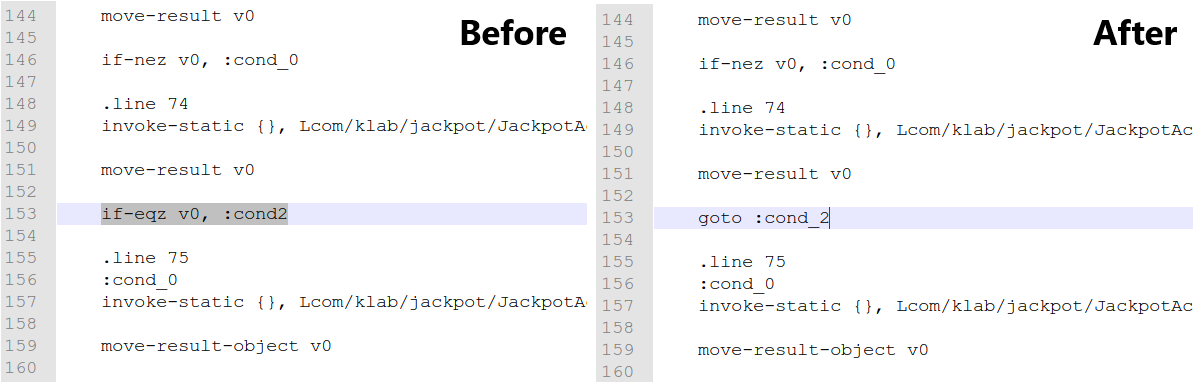
The above root-checkeing code is written in Smali, a low-level programming language for the Dalvik virtual machine (which works with Dalvik virtual CPU instructions and virtual registers). Its syntax is highly identical to that of the MIPS Assembly language. The overall steps of the aforementioned segment is as follow (written in C-like pseudo code).
|
|
After changing the code, we removed the conditional block. Now the game would jump to :cond2 regardless the presence of su binary.
- Save the file.
c. Recompiling the APK
-
Go back to AET.
-
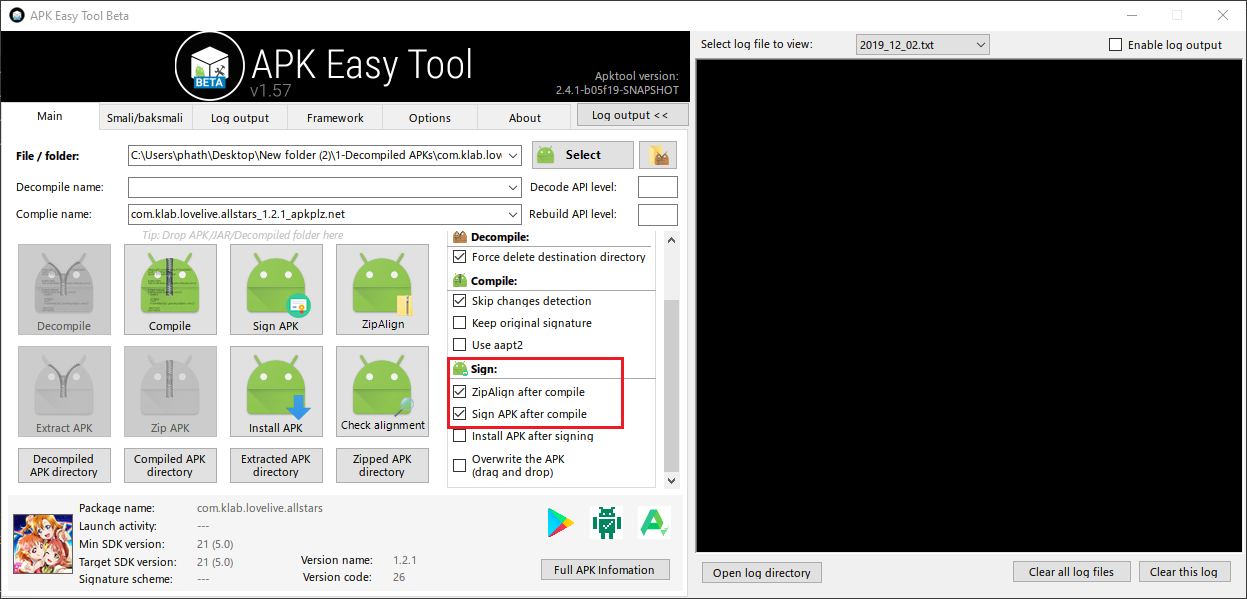
In the Sign section, tick
"ZipAlign after compile"and"Sign after compile" -
Click
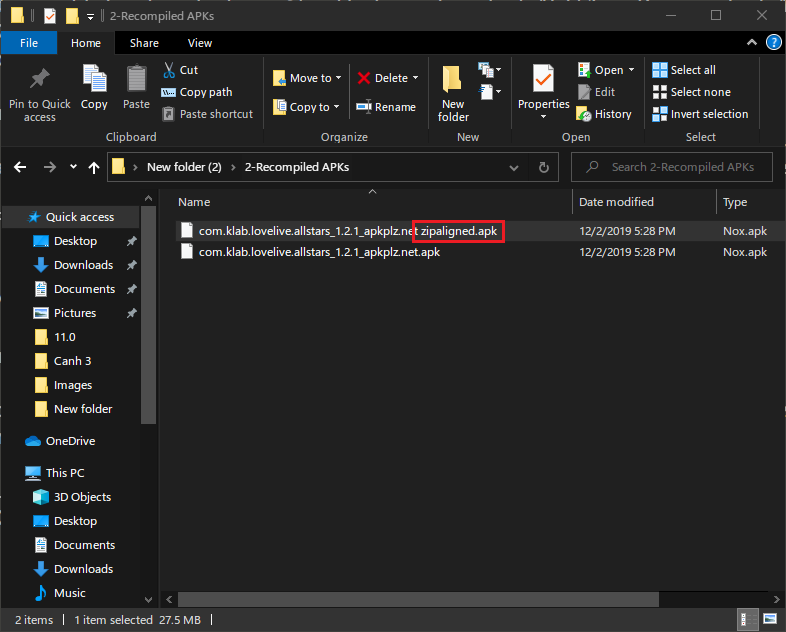
Compile. Wait until the process finishes. The compiled APK will be written to\path_to_extracted_AET\2 - Recompiled APKs. There will be 2 APKs. Only the file with"Zipaligned"at the end of its name is needed. Just delete the other one.
d. Install the original version of LLAS first
-
In Android-x86, install LLAS normally from Qooapp. If you are unable do so, follow all of the steps below.
-
If you can install LLAS normally from Qooapp, you can skip steps from 4 to 7. But it is highly recommended that you should read them as well to know which files we will need to work on.
-
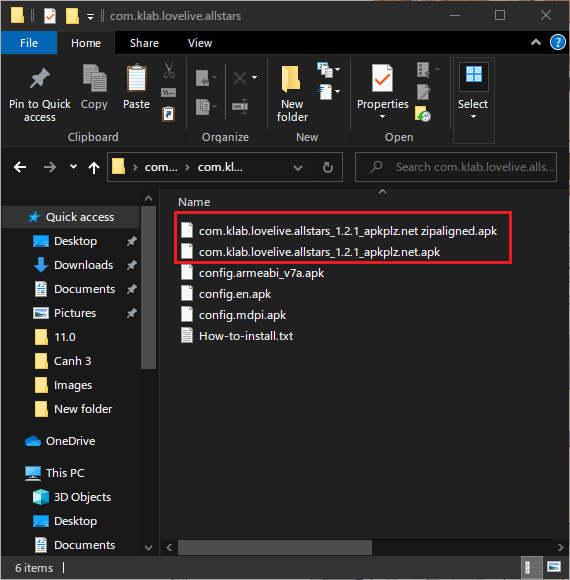
Copy the final APK in the previous step to the directory where you extracted your LLAS bundle from the beginning.
-
Copy this folder to somewhere accessible by Android-x86. You can compress and upload it to Google Drive, then download and extract it again from Android-x86.
NoteInstalling the patched APK directly with Split APK Installer won’t work -
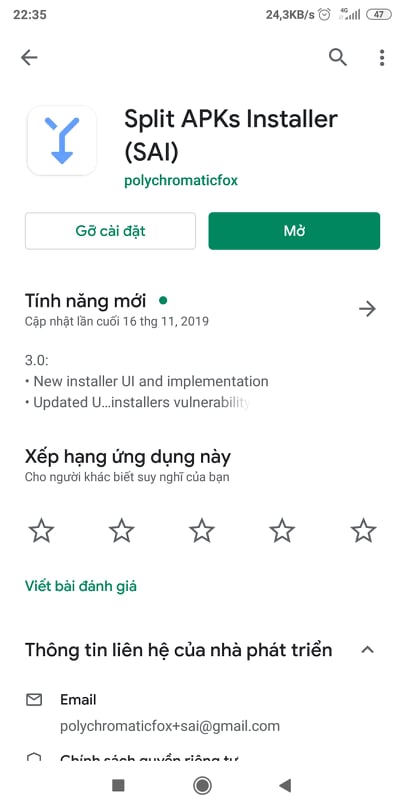
In Android-x86, install Split APK Installer from Play Store (I will use my Redmi 5 Plus to demonstrate this process).
-
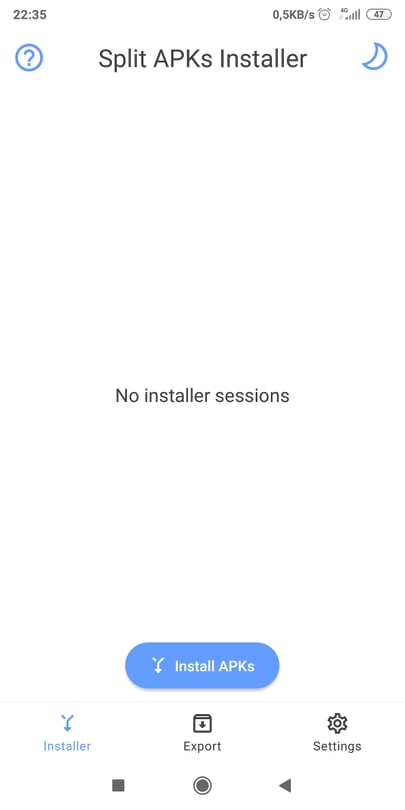
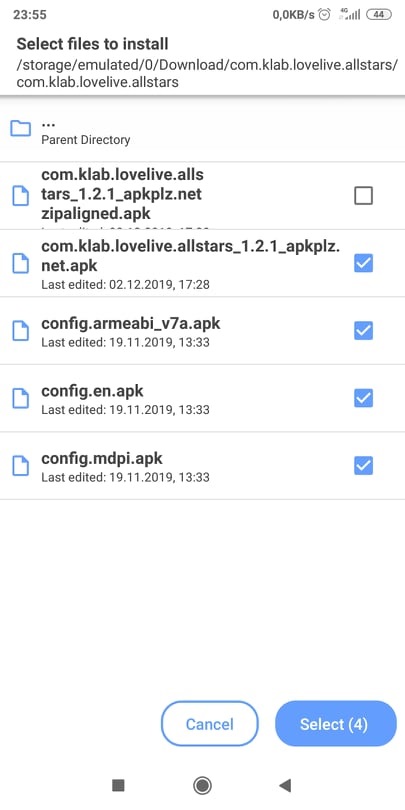
Open Split APK Installer, tap on Install APKs.
-
Navigate to the folder where you placed all LLAS APKs. Select the original/old main APK, then other minor APKs, but NOT the patched main APK. In other words, we are installing the original version of LLAS. Then tap Select (4) at the bottom corner of the screen.
-
Wait for the installation to complete.
e. Replace the original LLAS file with the patched one
- Open a root file explorer. Copy your patched main APK to
/data/app/com.klab.lovelive.allstars.../. - In
/data/app/com.klab.lovelive.allstars.../, deletebase.apk. Rename your newly copied APK tobase.apk. Do achmod 644on it. - Congrats, you have been able to create your own rootchecker-less version of LLAS and install it on your device!
Section 3: Key-bindings
Updating (never).